FerriShare特点(摘自项目页面):
Securely share files with anyone Files and filenames are encrypted
Builtin IP-based rate limiting
Configurable limits for maximum filesize and maximum storage quota
Password-protected site-wide administration panel
Configurable Privacy Policy (with default template) and Legal Notice, if you need those.
Fast, efficient and memory-safe backend
安装Docker、NGINX、Certbot:
apt -y update
apt -y install curl wget nginx python3-certbot-nginx
curl -fsSL https://get.docker.com -o get-docker.sh
sh get-docker.sh
创建目录新建compose文件:
mkdir -p /opt/ferrishare && cd /opt/ferrishare && nano docker-compose.yml写入如下配置:
services:
  ferrishare:
    image: ghcr.io/tobiasmarschner/ferrishare:latest
    container_name: ferrishare
    restart: unless-stopped
    volumes:
      - ./data:/app/data
    ports:
      - 127.0.0.1:3000:3000
pull镜像:
docker compose pull初始化配置:
docker compose run --rm -it ferrishare --init流程如下:

如果你不使用CDN,这个Proxy Depth请设置为1,后续配置NGINX反向代理需要。
目前单个文件最大只支持2GB,Maximum filesize配置再大也没用。
启动:
docker compose up -d配置NGINX反向代理,新建NGINX站点配置文件:
nano /etc/nginx/sites-available/ferrishare写入如下配置:
server {
    listen 80;
    server_name ferrishare.example.com;
    client_max_body_size 2G;

    location / {
        proxy_pass http://127.0.0.1:3000;
        proxy_set_header Host $http_host;
        proxy_set_header X-Real-IP $remote_addr;
        proxy_set_header X-Forwarded-For $proxy_add_x_forwarded_for;
    }
}
启用站点:
ln -s /etc/nginx/sites-available/ferrishare /etc/nginx/sites-enabled/ferrishare签发SSL证书:
certbot --nginx --email [email protected] --agree-tos --no-eff-email上传界面:
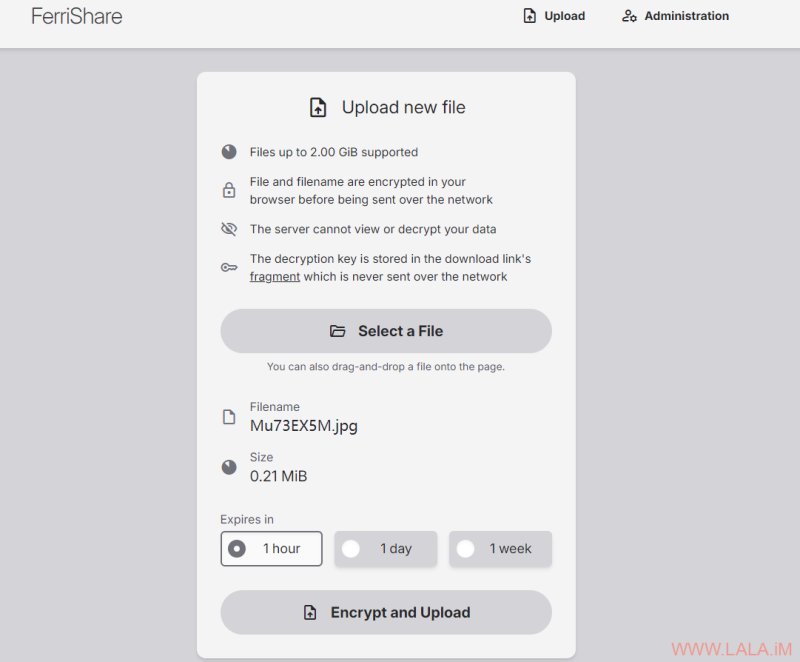
管理界面:
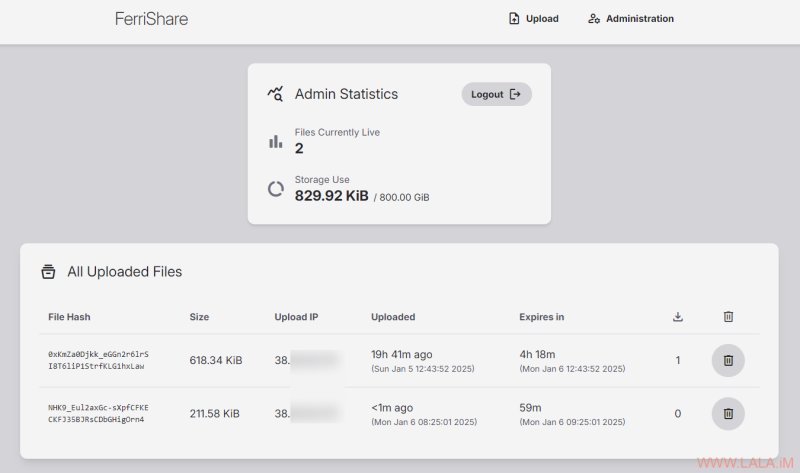
目前FerriShare的定位应该是临时文件上传,上传的文件必须设置一个到期时间,没有永久保存的选项。