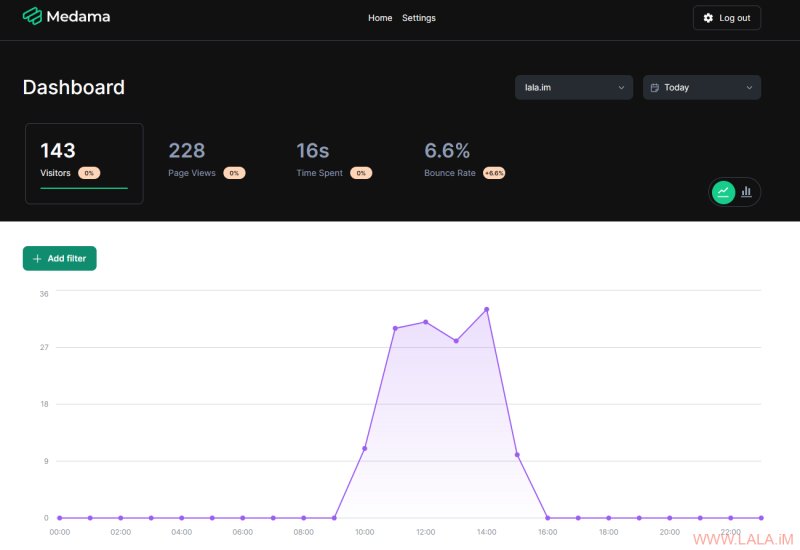
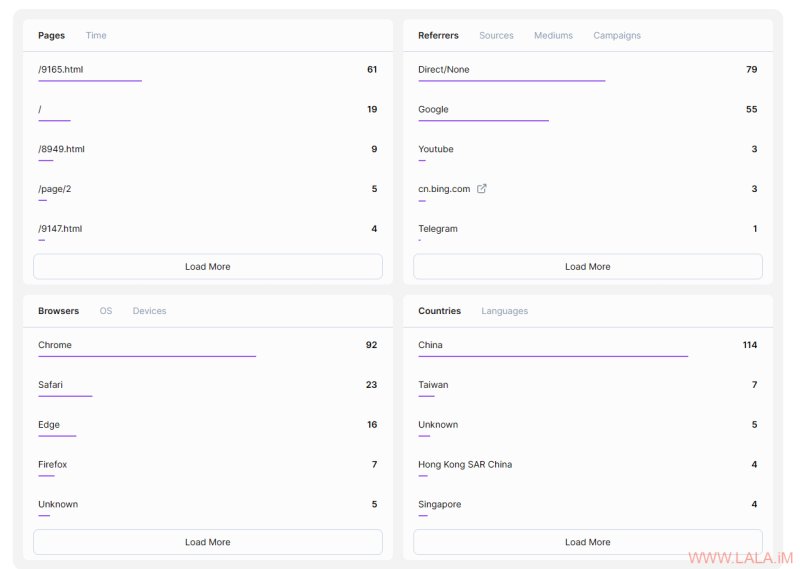
> 📊 Real-Time Analytics: Monitor website performance and user interactions instantly.
> 🔒 Privacy-Focused: Lightweight tracker (<1KB) without cookies, IP addresses, or additional identifiers, ensuring compliance with GDPR, PECR, and other regulations.
> 🧪 Easy To Integrate: OpenAPI-based server for effortless integration into personal or professional dashboards.
> 💼 Self-Hostable: Simple, single-binary setup with no external dependencies, capable of running on VMs with 256MB memory for most small websites.
我使用docker部署,先安装需要用到的软件:
apt -y update
apt -y install curl nginx python3-certbot-nginx
curl -fsSL https://get.docker.com -o get-docker.sh
sh get-docker.sh
准备目录新建compose文件:
mkdir -p /opt/medama && cd /opt/medama && nano docker-compose.yml写入如下配置:
services:
  medama:
    image: ghcr.io/medama-io/medama:latest
    restart: unless-stopped
    environment:
      - LOGGER=pretty
    ports:
      - "8080:8080"
    volumes:
      - medama-data:/app/data

volumes:
  medama-data:
启动:
docker compose up -d配置NGINX反向代理:
nano /etc/nginx/sites-available/medama写入如下配置:
server {
    listen 80;
    listen [::]:80;
    server_name medama.example.com;

    location / {
        proxy_pass http://127.0.0.1:8080;
        proxy_set_header Host $host;
        proxy_set_header X-Real-IP $remote_addr;
        proxy_set_header X-Forwarded-For $proxy_add_x_forwarded_for;
        proxy_set_header X-Forwarded-Proto "https";
        client_max_body_size 0;
    }
}
启用站点:
ln -s /etc/nginx/sites-available/medama /etc/nginx/sites-enabled/medama签发TLS证书:
certbot --nginx --email imlala@example.com --agree-tos --no-eff-email访问medama.example.com,默认的管理员账号:admin,密码:CHANGE_ME_ON_FIRST_LOGIN
点击添加新站点,填写要统计的网站域名:
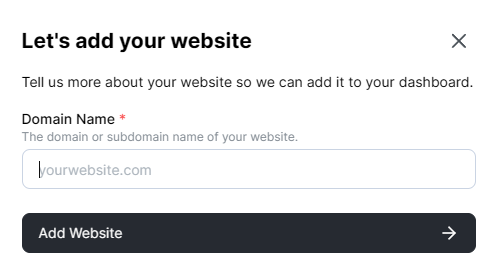
然后将下面的统计代码复制粘贴到对应网站中:
<script defer src="https://medama.example.com/script.js"></script>效果: