建议做好备份,VPS有快照功能的去打个快照,独服可以手动备份下重要数据。总之升级有风险,操作需谨慎。。
先把11升到最新版,截至目前11的最新版本是11.7:
apt update
apt list --upgradable
apt dist-upgrade
检查有没有什么包是被hold的,如果有解除掉,防止后续升级出现问题:
apt-mark showhold
apt-mark unhold
重启服务器并删除不再需要的包,同时确定当前系统的版本是11.7:
reboot
apt --purge autoremove
cat /etc/debian_version
编辑存储库配置文件:
nano /etc/apt/sources.list默认情况下,11的配置是这样:
deb http://deb.debian.org/debian bullseye main contrib non-free
deb-src http://deb.debian.org/debian bullseye main contrib non-free

deb http://security.debian.org/debian-security bullseye-security main contrib non-free
deb-src http://security.debian.org/debian-security bullseye-security main contrib non-free

deb http://deb.debian.org/debian bullseye-updates main contrib non-free
deb-src http://deb.debian.org/debian bullseye-updates main contrib non-free
修改成如下配置:
deb http://deb.debian.org/debian bookworm main contrib non-free non-free-firmware
deb-src http://deb.debian.org/debian bookworm main contrib non-free non-free-firmware

deb http://security.debian.org/debian-security bookworm-security main contrib non-free non-free-firmware
deb-src http://security.debian.org/debian-security bookworm-security main contrib non-free non-free-firmware

deb http://deb.debian.org/debian bookworm-updates main contrib non-free non-free-firmware
deb-src http://deb.debian.org/debian bookworm-updates main contrib non-free non-free-firmware
如果你的系统内还添加了其他第三方的存储库,比如我这个系统内还添加了docker/php的存储库,都需要做相应的修改。
编辑docker的存储库配置文件:
nano /etc/apt/sources.list.d/docker.list默认的配置:
deb [arch=arm64 signed-by=/etc/apt/keyrings/docker.gpg] https://download.docker.com/linux/debian bullseye stable修改为:
deb [arch=arm64 signed-by=/etc/apt/keyrings/docker.gpg] https://download.docker.com/linux/debian bookworm stable编辑php的存储库配置文件:
nano /etc/apt/sources.list.d/php.list默认的配置:
deb [signed-by=/usr/share/keyrings/deb.sury.org-php.gpg] https://packages.sury.org/php/ bullseye main修改为:
deb [signed-by=/usr/share/keyrings/deb.sury.org-php.gpg] https://packages.sury.org/php/ bookworm main如果第三方存储库还没有适配bookworm,建议把这个存储库里面的包都卸载掉,同时停用这个存储库,以防升级过程中出现问题。
更新存储库:
apt update先执行最小升级:
apt upgrade --without-new-pkgs如果最小升级没有问题,再执行如下命令进行完全升级:
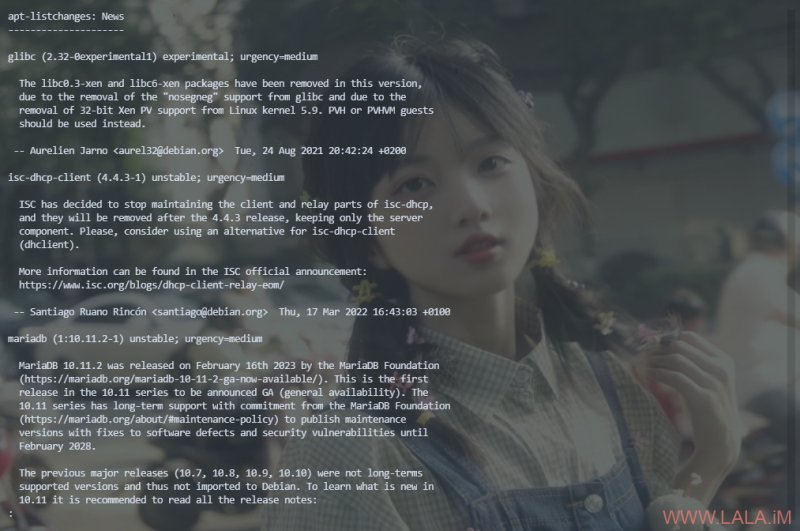
apt dist-upgrade升级过程中如果弹出这种界面,这是一些有关新软件包的介绍,按q可以关闭:
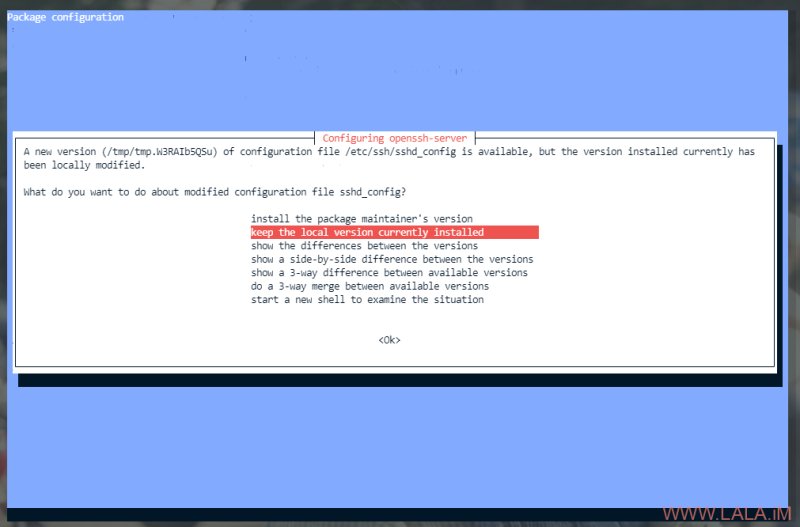
如果弹出这种界面,尤其是提到有关ssh配置的,如果你对ssh进行了配置修改,那这里一律选择保留本地版本,以防更新后因为配置不一致导致无法登录ssh:
重启系统并清理不再需要用到的包:
reboot
apt --purge autoremove
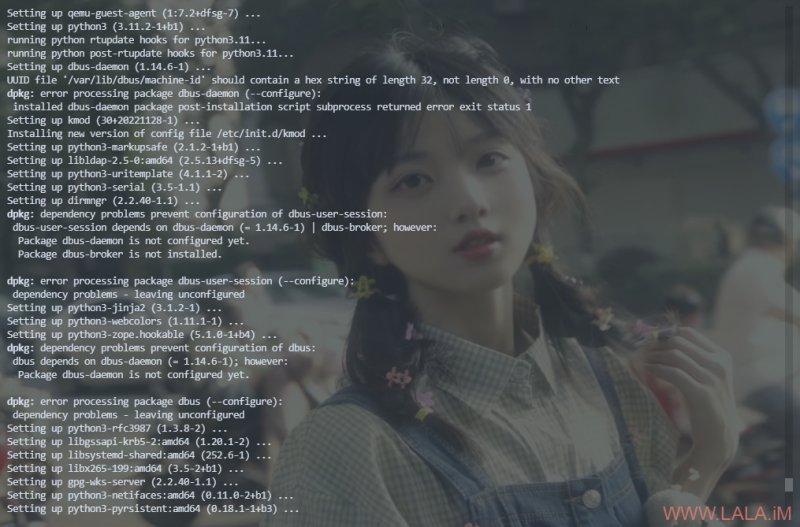
我在升级某些机器的时候遇到了这个问题:
/var/lib/dbus/machine-id should contain a hex string of length 32, not length 0, with no other text
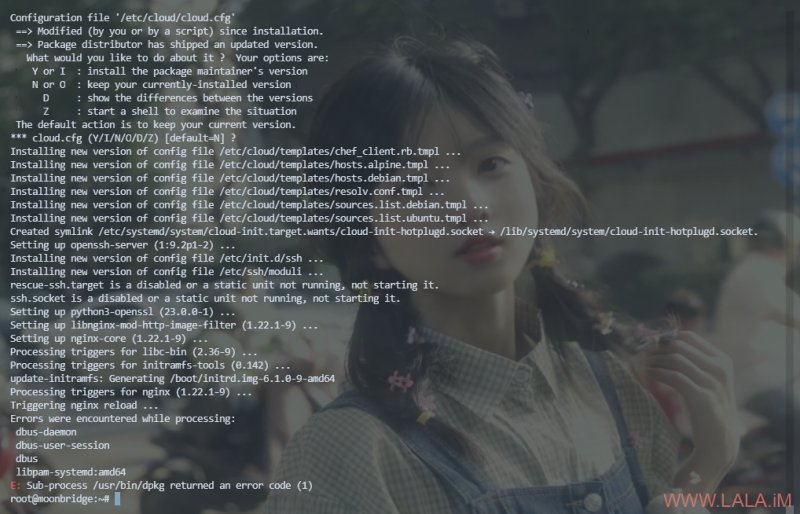
最后也可以看到升级有错误,没有完成:
解决办法很简单,执行下面的命令重新生成machine-id:
dbus-uuidgen --ensure然后将遇到错误而没有安装成功的软件包进行重试:
dpkg --configure --pending其实这种升级,要是服务器环境,旧版本的系统本身软件包装的少,一般升级下来还是比较稳的。就怕是桌面用户,还装了一大堆乱七八糟软件的,还启用了很多三方存储库的,那升级过程就有点蛋疼了。。