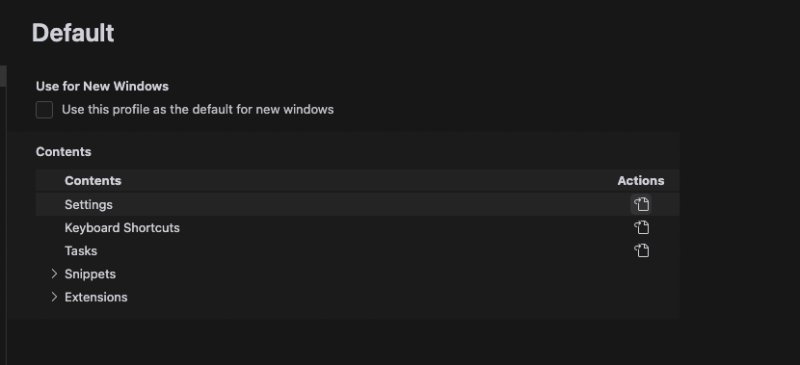
点击settings右边的 actions打开配置文件,在里面配置代理(最后一行,http.proxy)
{
    "git.autofetch": true,
    "git.enableSmartCommit": true,
    "http.proxy": "http://127.0.0.1:7890",
}
最下面那一行的代理设置成一个国外的可用代理
**后续:**
大陆地区不给用claude模型之后,即使配置代理还是报错:model provider doesn’t serve your region
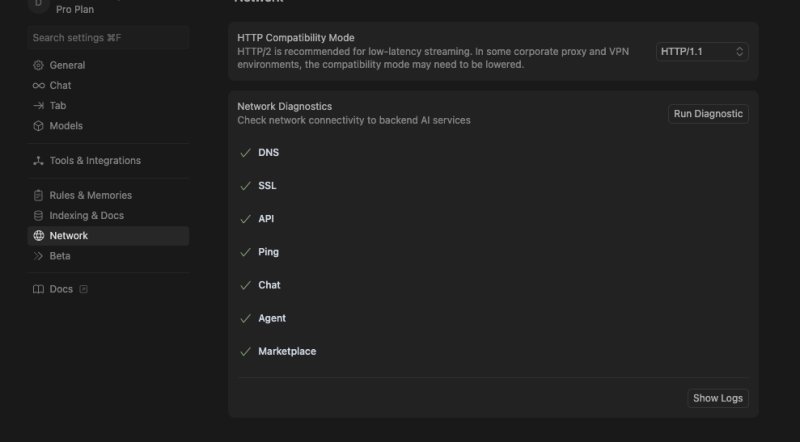
**需要增加配置:点开设置,找到网络,里面有个网络选项改成 HTTP/1.1就可以了,当然网络代理还是需要配置的!!**
具体修改方式如下图
参考资料:
https://forum.cursor.com/t/how-to-add-the-proxy-cursor/11092/2