嗷嗷牛人大佬:
安装Aria2需要的软件
- yum install -y wget curl ca-certificates
安装Aria2
- wget -N git.io/aria2.sh && chmod +x aria2.sh
- ./aria2.sh
安装Python3.8
- yum -y groupinstall "Development Tools"
- yum -y install zlib-devel bzip2-devel openssl-devel ncurses-devel sqlite-devel readline-devel tk-devel gdbm-devel db4-devel libpcap-devel xz-devel libffi-devel
- cd /tmp
- wget https://www.python.org/ftp/python/3.8.7/Python-3.8.7.tgz
- tar -zxf Python-3.8.7.tgz
- cd Python-3.8.7
- ./configure –prefix=/usr/local/python3
- make && make install
- ln -s /usr/local/python3/bin/python3.8 /usr/bin/python3
- ln -s /usr/local/python3/bin/pip3.8 /usr/bin/pip3
安装天翼网盘CLI工具
- yum -y install git
- cd ~
- git clone https://github.com/Aruelius/cloud189.git
- cd cloud189
- pip3 install -r requirements.txt
天翼网盘CLI配置账号、文件夹
- python3 main.py
- mkdir aria2
- cd aria2
配置Aria2的下载完成事件脚本
改/root/.aria2c/aria2.conf,找到“下载完成后执行的命令”,把clean.sh替换为upload-189.sh。
如果你不是用这个脚本安装的,没有这一行,就新增一行,写下面的内容
- # 下载完成后执行的命令
- on-download-complete=/root/.aria2c/upload-189.sh
把下面的内容写到/root/.aria2c/upload-189.sh,保存完记得授予执行权限chmod +x /root/.aria2c/upload-189.sh
- #!/bin/bash
- GID="$1";
- FileNum="$2";
- File="$3";
- MinSize="5" #限制最低上传大小,默认5k
- MaxSize="157286400" #限制最高文件大小(单位k),默认15G
- #RemoteDIR="/RATS/"; #rclone挂载的本地文件夹,最后面保留/
- LocalDIR="/root/downloads/"; #Aria2下载目录,最后面保留/
- if *’ |head -n1) ]]; then FileNum=’0′; fi
- if ]; then exit 0; fi
- if ]; then exit 0; fi
- function LoadFile(){
- IFS_BAK=$IFS
- IFS=
- 改完配置必须重启aria2,使用命令bash ~/aria2.sh执行脚本,然后按照提示重启。
- 感谢:
- https://github.com/P3TERX/aria2.sh
- https://github.com/Aruelius/cloud189
- https://www.moerats.com/archives/482/
- 觉得有用的话不妨帮我IP+1,谢谢
- https://haoduck.com/698.html
- \n’
- if ]; then return; fi
- if ]; then
- FileLoad="${File/#$LocalDIR}"
- while true
- do
- if ]; then return; fi
- echo "$FileLoad" |grep -q ‘/’;
- if ]; then
- FileLoad=$(dirname "$FileLoad");
- else
- break;
- fi;
- done;
- if ]; then return; fi
- EXEC="$(command -v python3)"
- if ]; then return; fi
- Option=" ~/cloud189/main.py upload";
- cd "$LocalDIR";
- if ]; then
- ItemSize=$(du -s "$FileLoad" |cut -f1 |grep -o ‘*’ |head -n1)
- if ]; then return; fi
- if ]; then
- echo -ne "\033]; then
- echo -ne "\033[33m$FileLoad \033[0mtoo large to spik.\n";
- return;
- fi
- #eval "${EXEC}${Option}" \’"${FileLoad}"\’ "${RemoteDIR}";
- eval "${EXEC}${Option}" \’"${FileLoad}"\’;
- rm -rf "${FileLoad}"
- fi
- fi
- IFS=$IFS_BAK
- }
- LoadFile;
改完配置必须重启aria2,使用命令bash ~/aria2.sh执行脚本,然后按照提示重启。
感谢:
https://github.com/P3TERX/aria2.sh
https://github.com/Aruelius/cloud189
https://www.moerats.com/archives/482/
觉得有用的话不妨帮我IP+1,谢谢
https://haoduck.com/698.html
嗷嗷牛人大佬:
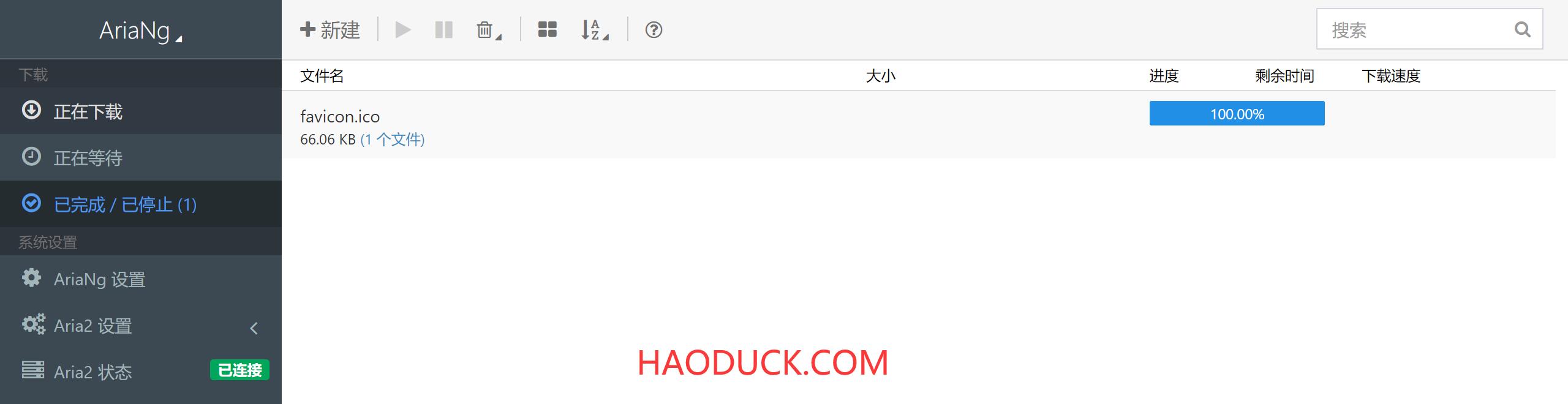
测试图片(从博客上复制的,因为有人偷盗文章,连图片一起偷那种,所以加了水印,见谅)

sosodm牛人大佬:
感谢楼主分享 学习了