| 任务描述 | 完成所需时间 | |
|---|---|---|
| 闯关任务 | 完成SSH连接与端口映射并运行hello_world.py | 10min |
| 可选任务 1 | 将Linux基础命令在开发机上完成一遍 | 10min |
| 可选任务 2 | 使用 VSCODE 远程连接开发机并创建一个conda环境 | 10min |
| 可选任务 3 | 创建并运行test.sh文件 | 10min |
先在internstudio中创建虚拟机
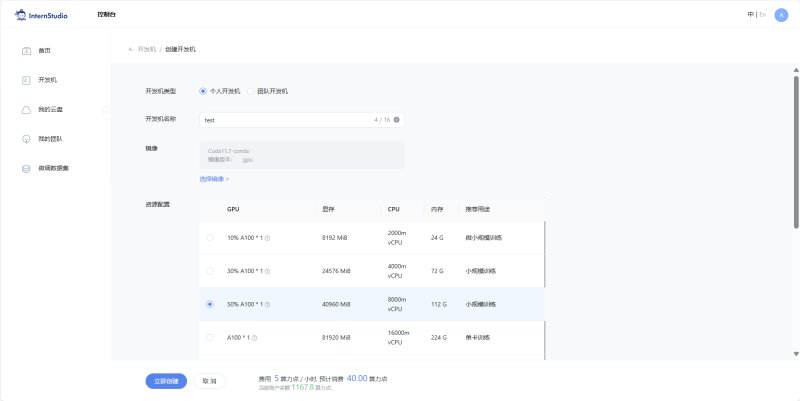
这里我使用vscode进行无密码ssh连接(即公钥连接)
那么需要在本地终端(windows上是cmd/powershell ;Linux是shell上)使用
ssh-keygen首先会让你输入生成地址(一般默认即可,回车)
接下来会让你填写保护密码,直接回车即可(这里是因为已生成过了,提示是否需要覆盖)
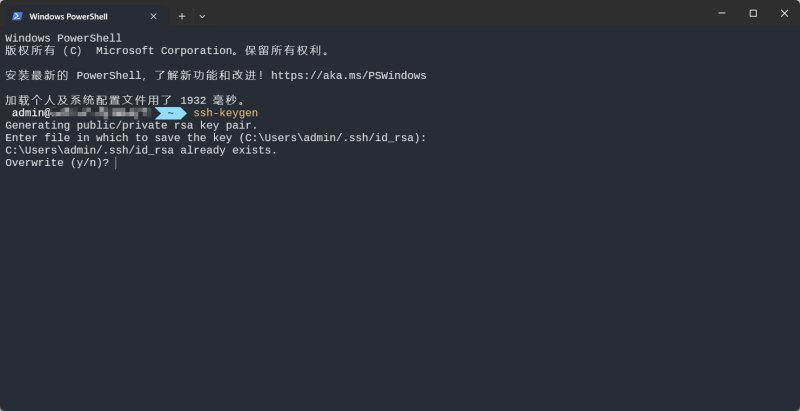
自动生成ssh密钥和公钥
具体存储路径为
- win:C:\Users\admin\.ssh
- linux:~/.ssh/
将该目录下的
id_rsa.pub文件用记事本等文本编辑器打开.全选复制
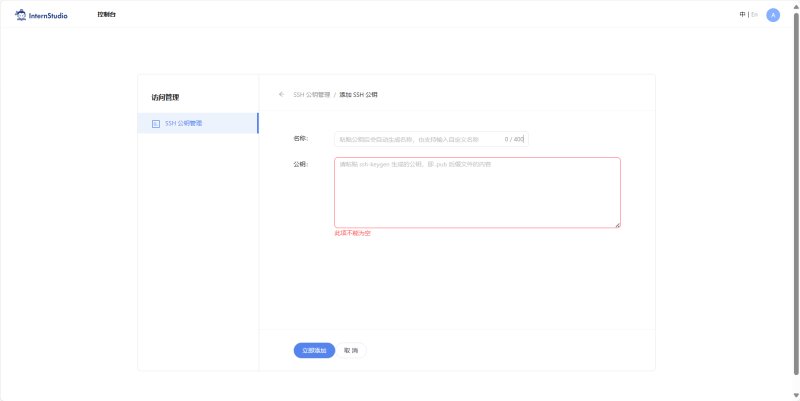
然后到访问管理页面中添加公钥
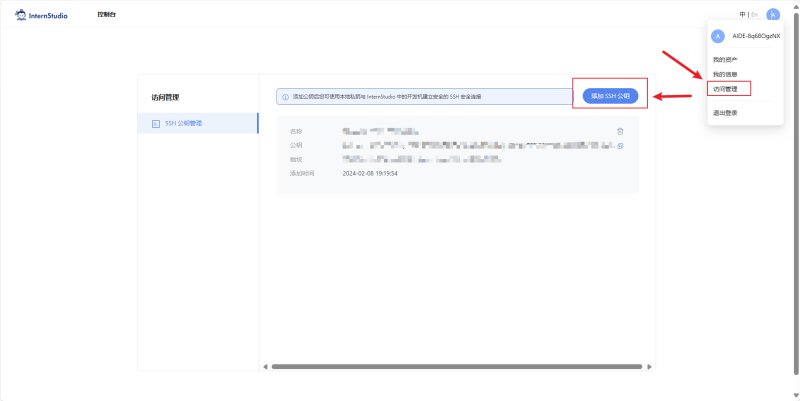
将刚复制好的内容填写的到公钥中,保存
然后返回开发机页面,选择对应开发机
ssh连接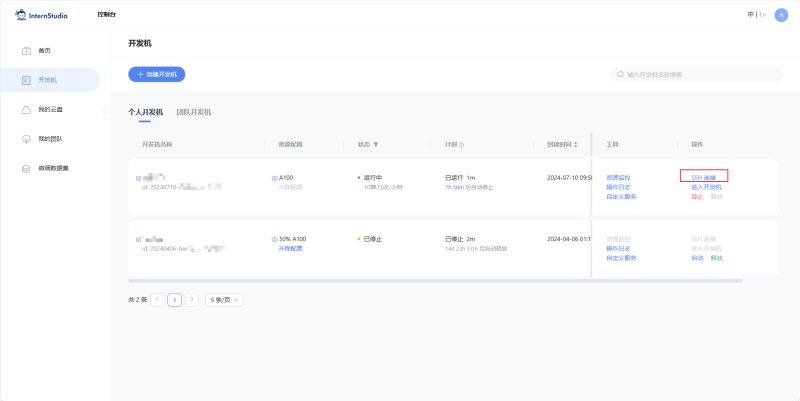
复制命令指令
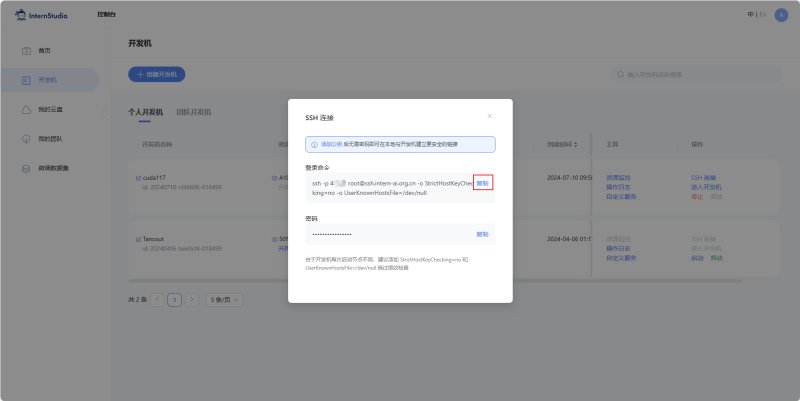
然后在vscode的远程资源管理器中
新建远程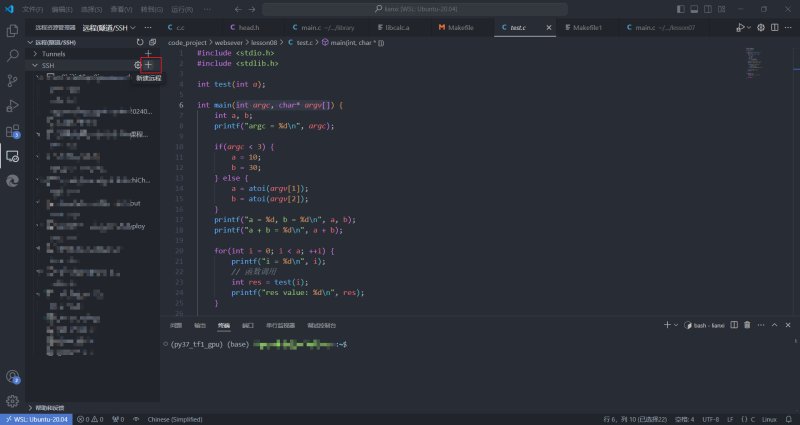
将刚才的指令复制进去

选择默认的ssh配置文件

这时候会有提醒,点击连接

这时候就顺利连接成功啦!
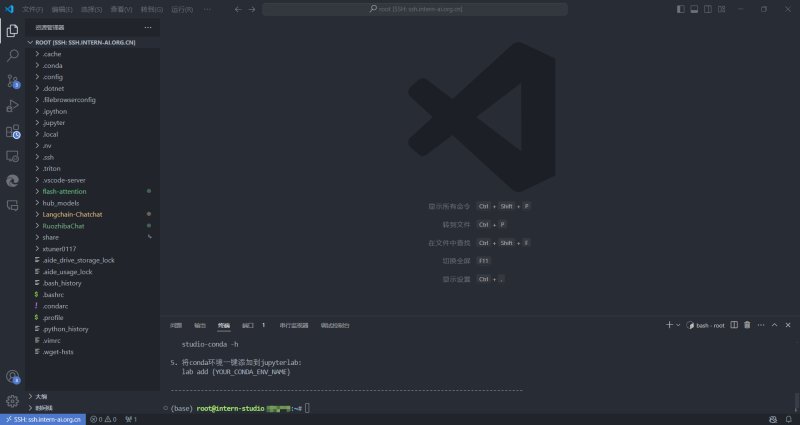
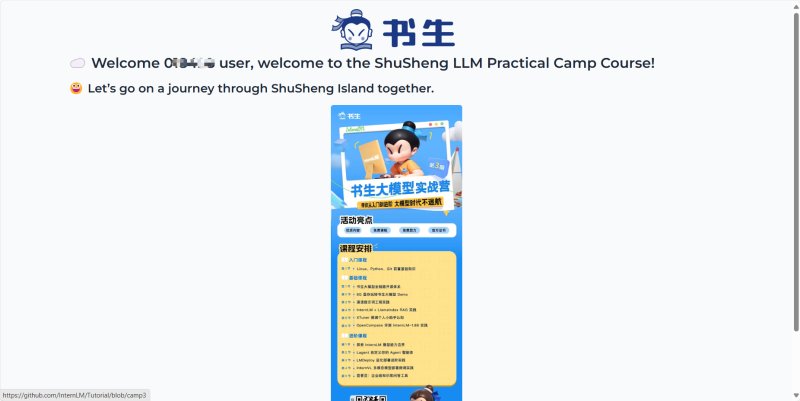
我们新建一个hello_world.py文件,将以下内容填写进去
import socket
import re
import gradio as gr

# 获取主机名
def get_hostname():
    hostname = socket.gethostname()
    match = re.search(r'-(\d+)$', hostname)
    name = match.group(1)

    return name

# 创建 Gradio 界面
with gr.Blocks(gr.themes.Soft()) as demo:
    html_code = f"""
            <p align="center">
            <a href="https://intern-ai.org.cn/home">
                <img src="https://678pdf.com/assets/uploads/2026/09/a304602aee2aaba8fafc44de7bae0cfe.jpg" alt="Logo" width="20%" style="border-radius: 5px;">
            </a>
            </p>
            <h1 style="text-align: center;">☁️ Welcome {get_hostname()} user, welcome to the ShuSheng LLM Practical Camp Course!</h1>
            <h2 style="text-align: center;">😀 Let’s go on a journey through ShuSheng Island together.</h2>
            <p align="center">
                <a href="https://github.com/InternLM/Tutorial/blob/camp3">
                    <img src="https://oss.lingkongstudy.com.cn/blog/202406301604074.jpg" alt="Logo" width="20%" style="border-radius: 5px;">
                </a>
            </p>

            """
    gr.Markdown(html_code)

demo.launch()
在运行代码之前,需要先使用
pip install gradio==4.29.0命令安装以下依赖包,然后在vscode的终端中运行hello_world.py`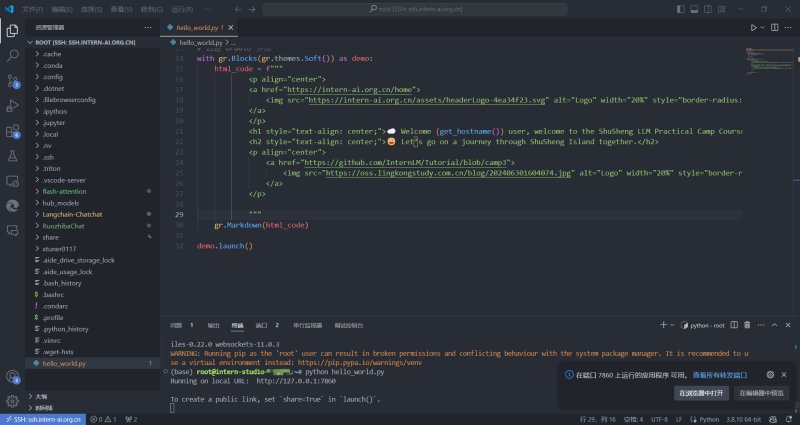
vscode自带端口转发,访问http://127.0.0.1:8500/